 v1.0.0
A Mac cleaner for people who don’t trust Mac cleaners. MacCleaner finds app, browser and developer caches, logs, app leftovers, large files and duplicates, shows you what it found with sizes, and waits. Nothing is removed until you’ve reviewed it, and then it goes to the Trash. Nothing runs in the background, and it never asks for your password.
- Platform
- macOS 14+ · Apple Silicon + Intel
- Built with
- Swift 6 · SwiftUI · IOKit · Rive
- Highlights
- Everything goes to the Trash · No admin password · No account, no analytics
Features
What’s inside MacCleaner
Clean, after you review it
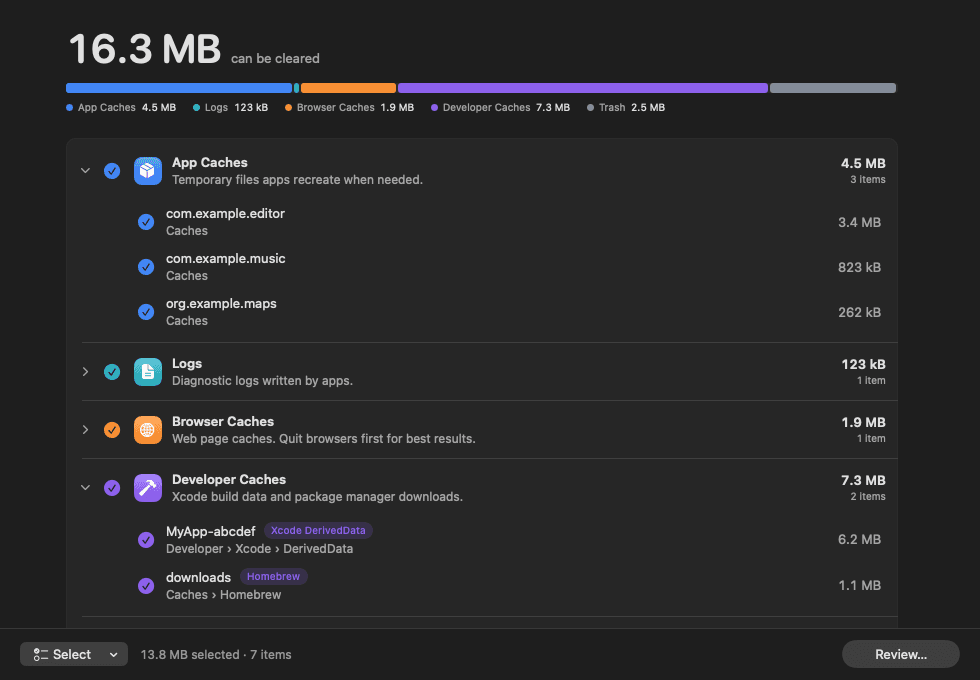
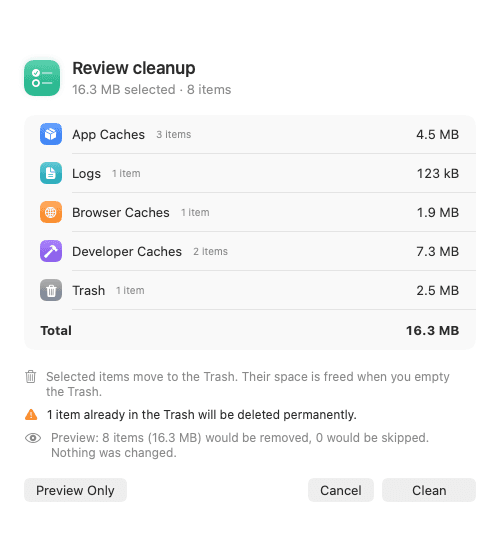
App caches, logs, the caches of eight browsers, developer caches (Xcode DerivedData, simulators, SwiftPM, CocoaPods, Homebrew, npm, Yarn, pip, Go, Gradle, Cargo) and the Trash. Select, review with an optional preview that changes nothing, then clean. The Trash starts unselected, because emptying it is for good.
Uninstall with the leftovers
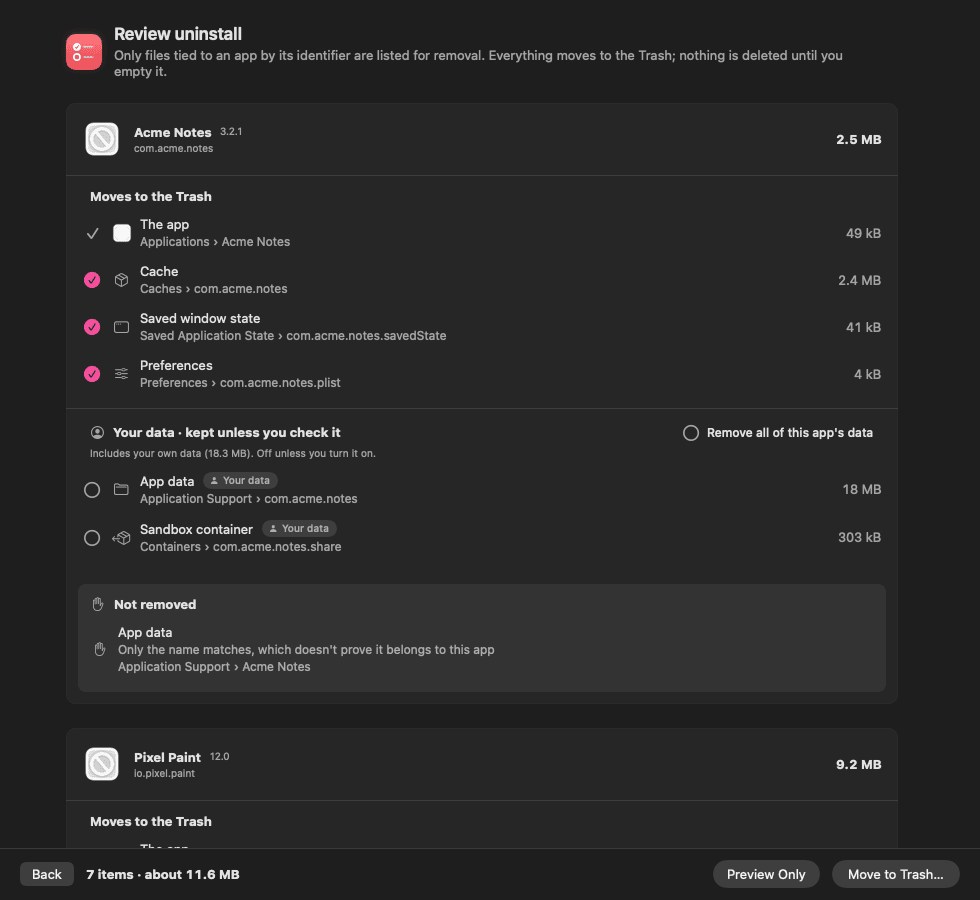
Removes an app together with the files it leaves in your Library, matched by the app’s identifier, never by a look-alike name. Your own data in Application Support and Containers starts unchecked, and an app that is open offers Quit first.
See where your space went
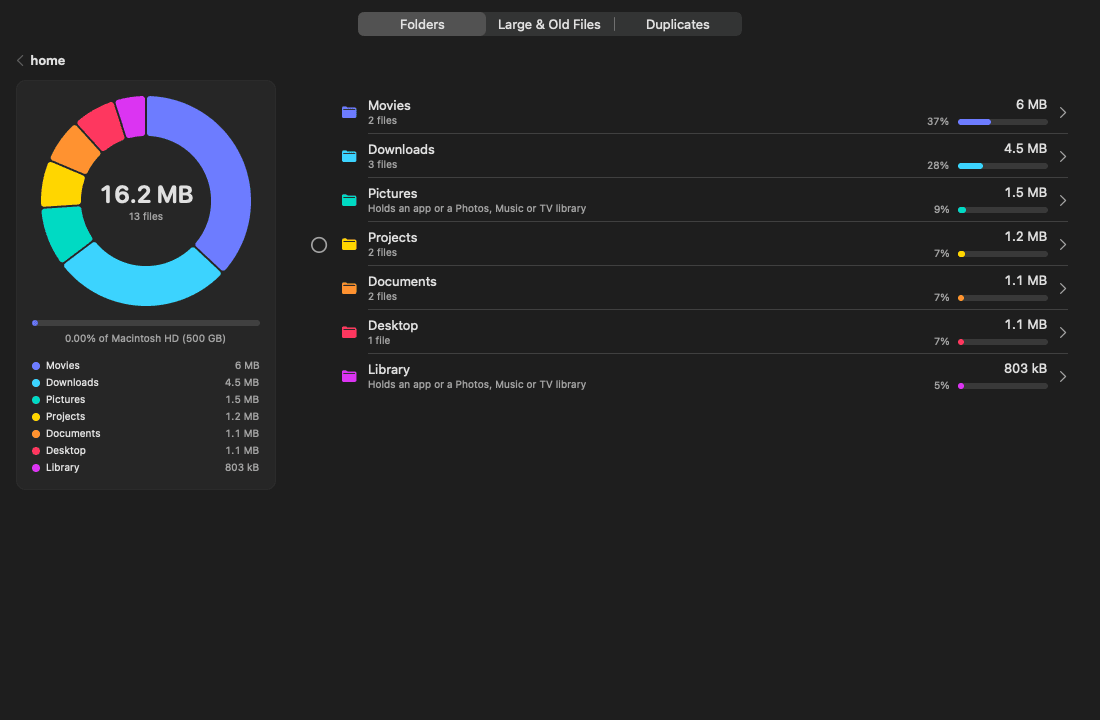
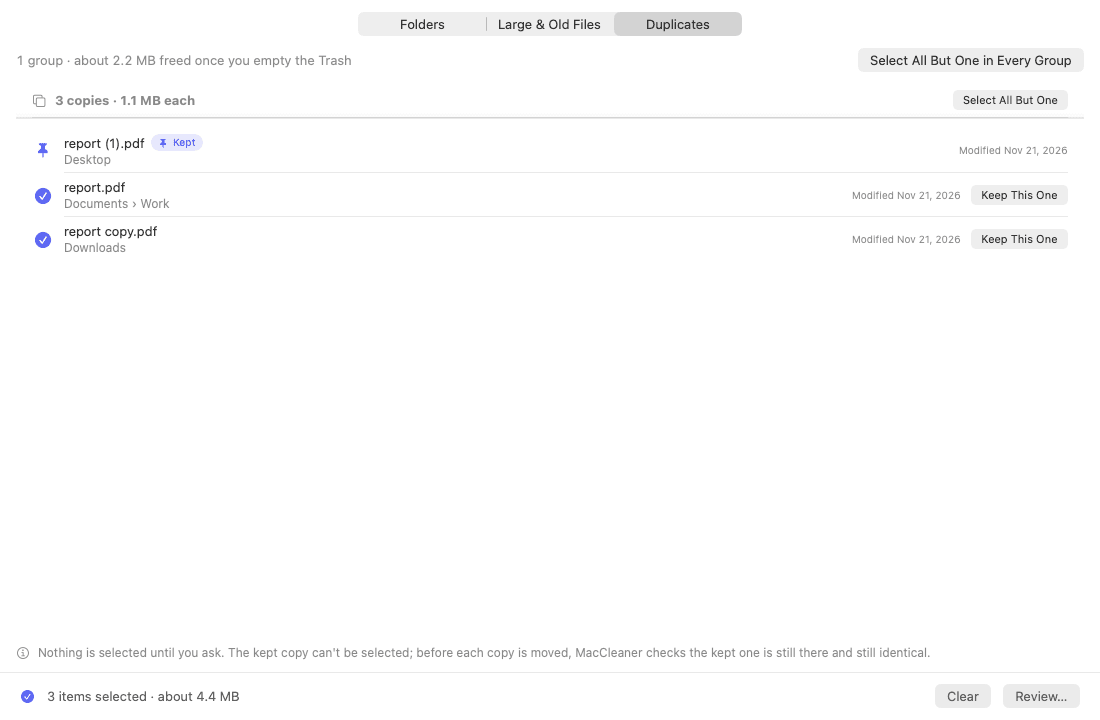
Analyze shows folders by size with a ring chart, large and old files, and duplicates, with one copy always kept. The folder and file scan reads sizes only and never opens your files. Duplicates are found on request: files of the same size are compared by their contents, down to a SHA-256 hash of every byte.
Everything goes to the Trash
Clean, Uninstall and Analyze move items to the Trash, so you can change your mind until you empty it. Every removal passes one safety gate, is checked again just before it moves, and is written to a log first.
Your Mac at a glance
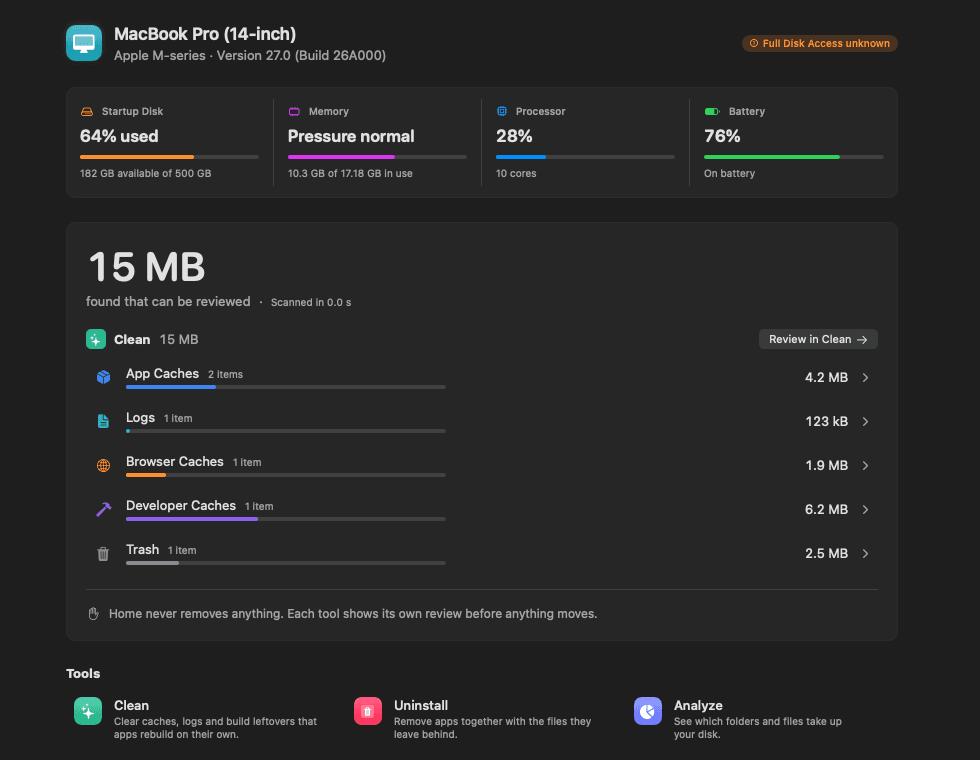
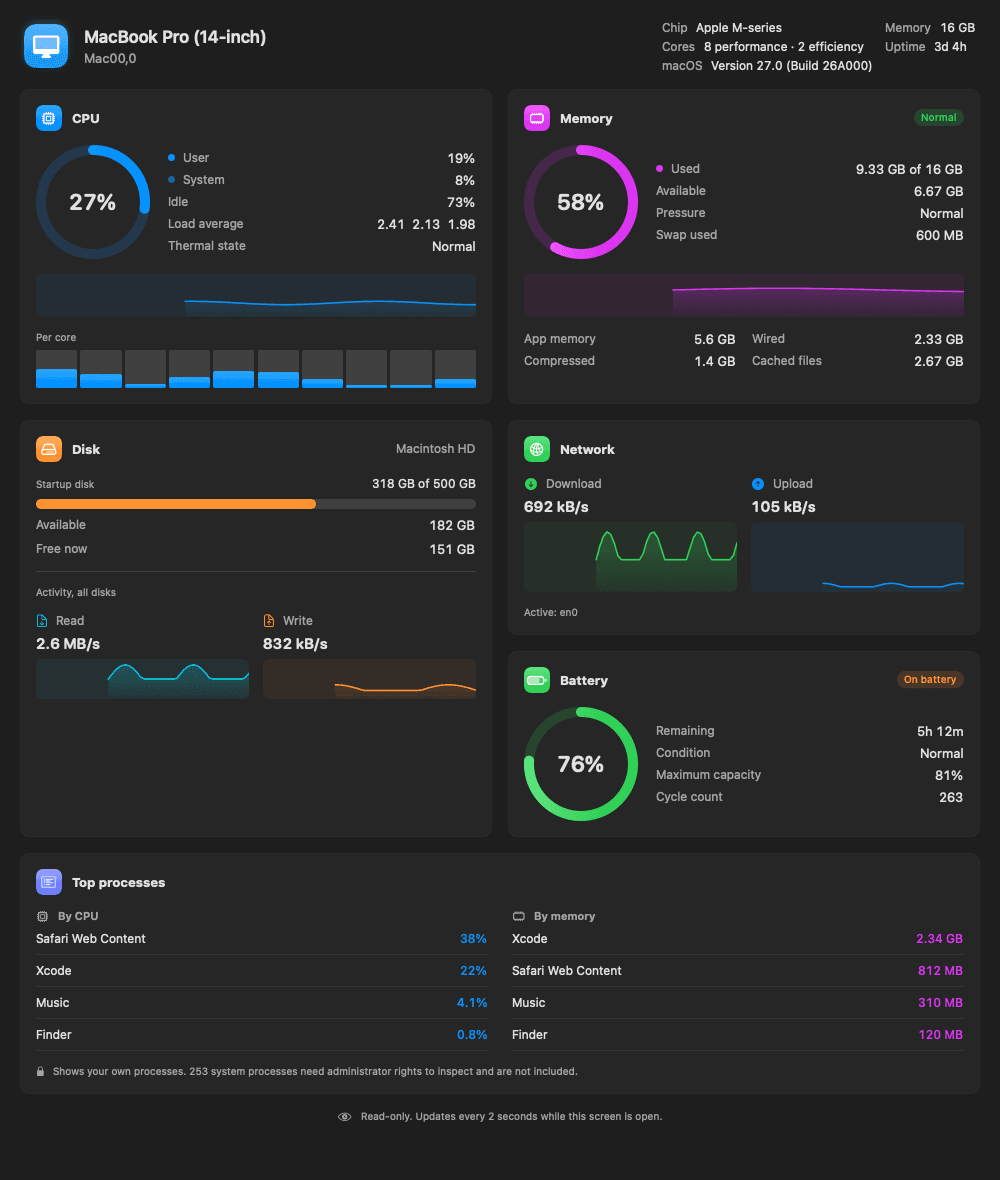
Home shows the startup disk, memory, processor and battery, and one read-only scan of what can be tidied, per area, with sizes. Home itself never removes anything.
Live status
CPU, memory, disk, network, battery and the busiest processes, updated every 2 seconds while you look at it, and only then. Values the system doesn’t report show as Unavailable, never as zero.
Optimize, explained first
Three maintenance tasks — refresh Quick Look previews, restart Finder, restart the Dock — each showing what it does and the exact command before it runs, plus a review of your background items.
Never Offer This
Keep a file or folder out of Clean for good. The safety gate enforces your exclusion list at removal time, not just on screen.
Private, and nothing unattended
No account, no analytics, no background cleaning, nothing at login and no admin password. The only network request is a once-a-day update check, which you can turn off. In English and Vietnamese.
Gallery

MacCleaner
$5.99 $2.99 one-time · macOS 14+ · Apple Silicon + Intel
 Cleanup & disk space
The best CleanMyMac alternatives for Mac, and where CleanMyMac still wins
Looking for a CleanMyMac alternative? Compare macOS Storage settings, DaisyDisk, OnyX, AppCleaner and MacCleaner on price, safety and what each cleans.
8 min read- Cleanup & disk space
How to clear the cache on a Mac (browser, app and system caches)
Clear your Mac’s cache safely: Safari and Chrome website data, app caches in ~/Library/Caches, system caches via safe mode, and what macOS clears for you.
5 min read - Cleanup & disk space
Is a Mac cleaner safe? What you can delete on a Mac, and what to leave alone
Whether a Mac cleaner is safe depends on what it removes and if you can undo it. What’s safe to delete on a Mac, what isn’t, and five questions to ask.
6 min read