 v1.0.1
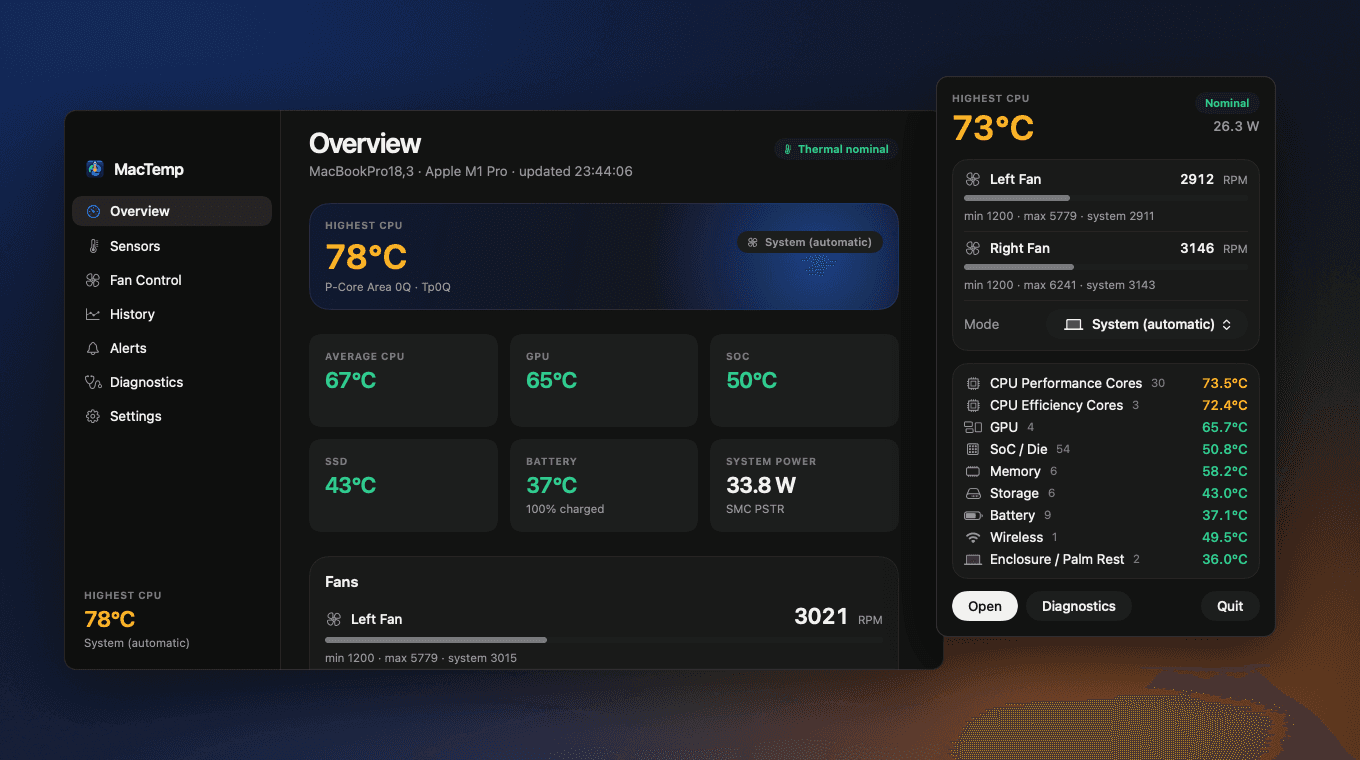
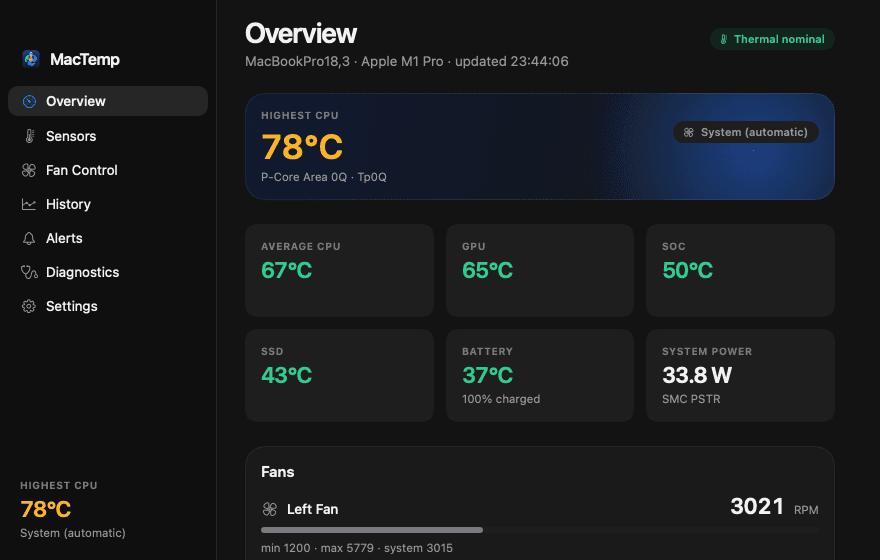
A native menu bar temperature and fan monitor for Mac. MacTemp reads the sensors your Mac actually reports — around 250 on an M1 Pro, from CPU and GPU to SSD and battery — shows every fan’s speed, and keeps history, alerts and health checks. Want more cooling than macOS picks? Optional fan control goes through a small helper you approve, clamped to each fan’s safe range. No account, nothing uploaded.
- Platform
- macOS 14+ · Apple Silicon
- Built with
- Swift · SwiftUI + AppKit · AppleSMC + IOHID · XPC helper
- Highlights
- Pay once · No permissions to monitor · No account, no telemetry
Features
What’s inside MacTemp
Every sensor, not just the CPU
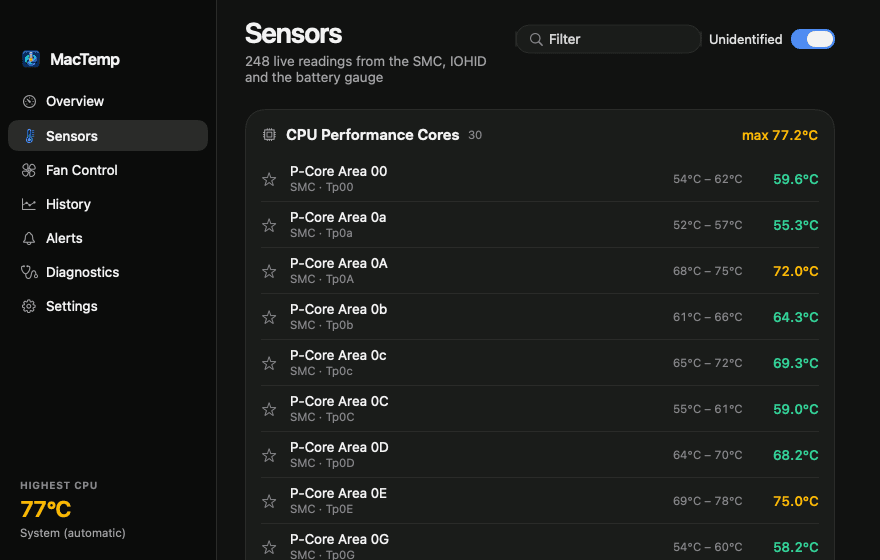
Live readings from the SMC, the IOHID temperature sensors and the battery gauge — around 250 on an M1 Pro — grouped by sensor family (CPU performance and efficiency areas, best effort), GPU, SoC, memory, storage, battery, wireless and enclosure. Sensors Apple doesn’t document keep their raw key instead of a made-up name.
Live fan speeds
Current, minimum and maximum RPM for every fan, plus the speed macOS itself is asking for, so you can see how hard the cooling is working. On a fanless Mac, MacTemp shows temperatures only.
Your menu bar, your way
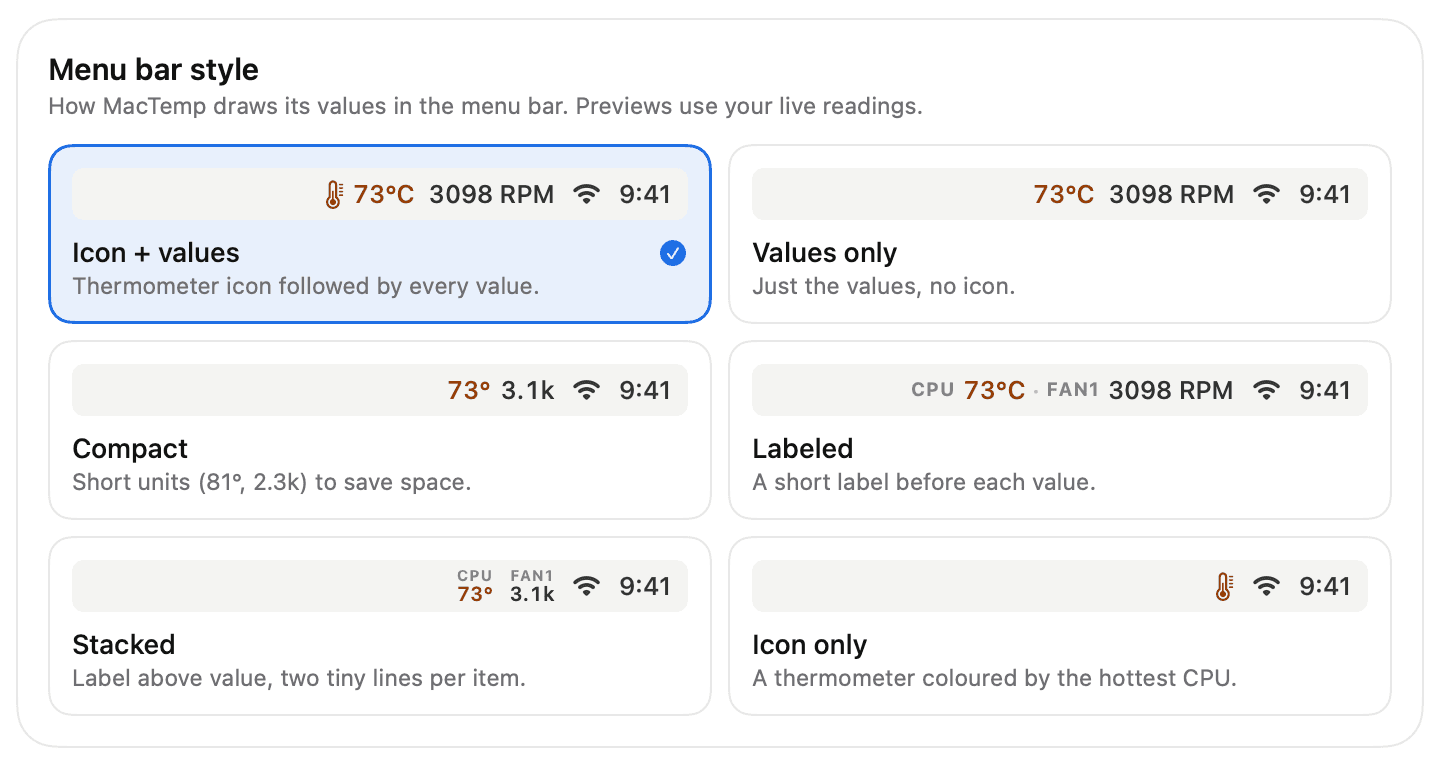
Six display styles, from icon plus values to a single thermometer tinted by the hottest CPU. Show any mix of CPU, GPU, a specific sensor, fan RPM and system power, coloured by temperature, with a popover for a quick look.
History you can read
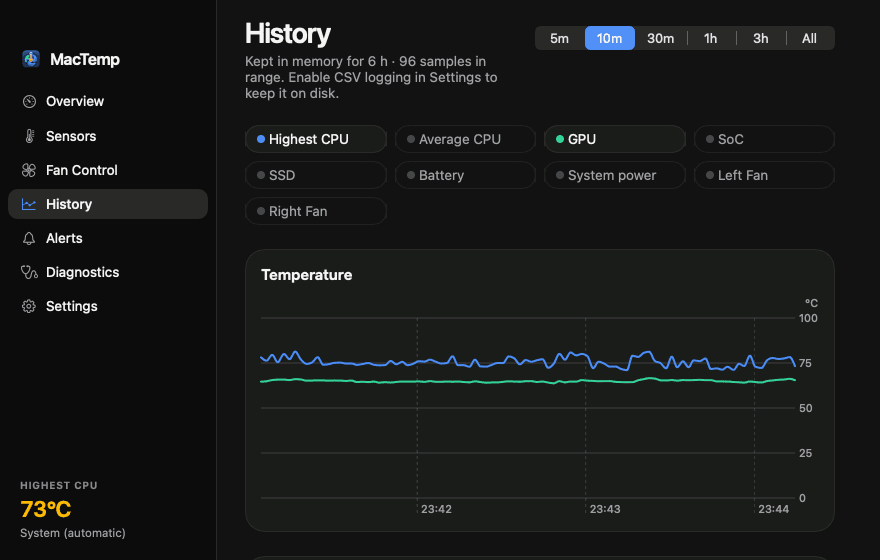
Up to 48 hours kept in memory, with charts for CPU, GPU, SoC, SSD, battery, power and fans and min, average and max for each. Turn on CSV logging to keep it on disk.
Alerts before it gets uncomfortable
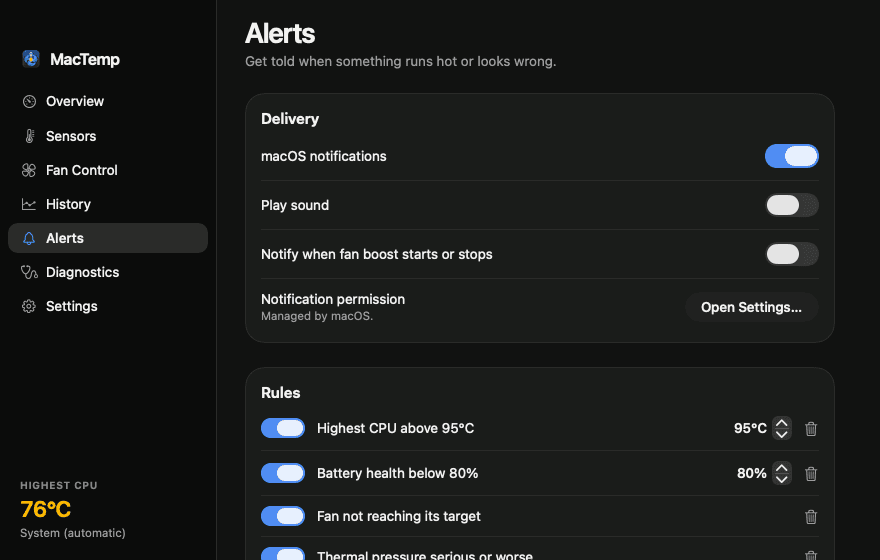
A notification or a sound when a sensor passes your limit, battery health drops, a fan doesn’t reach its target, thermal pressure rises, or — where macOS records a shutdown cause — the last shutdown was abnormal. Email alerts go through your own mail server (SMTPS) and haven’t been sent in beta testing yet.
Diagnostics in one page
Health checks for sensor access, the hottest sensor, each fan, battery health as macOS reports it, power and uptime — plus a local support package with serial numbers removed, which you share only if you choose to.
Optional fan control, within safe limits
Six modes: System, Auto Boost, Rules (per sensor, per fan, on the adapter or on battery), Custom Curve, Manual and Maximum. Fan speeds change only after you install MacTemp’s small helper and approve it in System Settings. Every request is clamped to the fan’s own minimum and maximum, the helper is built to hand fans back to macOS if MacTemp quits or goes quiet. MacTemp doesn’t change macOS’s thermal limits or shutdown protection; while it controls a fan, though, it overrides the speed macOS would pick for that fan. Without the helper, MacTemp simply monitors.
Private by design
Everything runs on your Mac: no account, no analytics, and no network connections unless you turn on email alerts, which go through your own mail server. °C or °F, global shortcuts, launch at login, and light or dark appearance. Beta note: global shortcuts, launch at login and the support package are built but not yet tested.
Gallery
MacTemp
$5.99 $2.99 one-time · macOS 14+ · Apple Silicon
 Temperature & fans
Best Fan Control App for Mac: What to Look For
Looking for the best fan control app for Mac? Compare what macOS handles, what to check, and how MacTemp adds real sensors and optional fan modes.
7 min read- Temperature & fans
mac fan ramping up and down: Use MacTemp to Spot Sensor, Fan, and Power Triggers
Find out why your mac fan ramping up and down happens: common triggers, quick checks, and how sensor, fan, and power readings can reveal the pattern.
7 min read - Temperature & fans
Mac thermal throttling: how to tell if your Mac is slowing down from heat
How to tell if Mac thermal throttling is slowing your work, how to check thermal pressure with built-in tools, and what you can safely do about it.
4 min read - Temperature & fans
MacBook Air overheating? Why a fanless Mac gets hot and how to fix it
MacBook Air overheating or slowing down when it gets hot? Why a fanless Air heats up, what is normal, and seven practical fixes to keep it cool.
5 min read - Temperature & fans
What is a normal Mac CPU temperature, and when should you worry?
What a normal Mac CPU temperature looks like at idle and under load, why Apple Silicon runs warm on purpose, and the signs that really need attention.
6 min read - Temperature & fans
The Best Way to Keep MacBook Cool During Heavy Work
Learn the best way to keep macbook cool during heavy work: sensible macOS habits, better airflow, and clear temperature monitoring.
6 min read