NotchNook alternatives: the best notch apps for Mac, compared honestly
Looking for a NotchNook alternative? Boring Notch, Alcove and MacNotch compared on price, macOS version, Macs without a notch and features.
By winterzxzzUpdated 7 min read
NotchNook is the app that made “a Dynamic Island for the Mac” a thing people search for. It turns the black camera housing at the top of a MacBook screen into a panel for music, files and your calendar. It is also not the only option, and depending on your budget, your macOS version and whether your Mac even has a notch, another app may fit you better.
This guide compares NotchNook with three alternatives: Boring Notch, Alcove and our own MacNotch. Competitor details are as listed on each app’s official site or repository in October 2026; the sources are at the end. We make MacNotch, so read its section with that in mind — we have tried to be specific about where the others are ahead.
The short answer
- You want it free and open source: Boring Notch.
- You want the most complete feature set and don’t mind paying for it: stay with NotchNook.
- You want a low one-time price, notifications and timers in the notch, or you use a Mac or monitor without a notch: MacNotch (paid once).
- You want a polished paid app with lock screen widgets: look at Alcove.
NotchNook alternatives at a glance
| App | Price (October 2026) | Requires | Without a notch |
|---|---|---|---|
| NotchNook | US$25 lifetime or US$3/month, 2 Macs per license; 48-hour free trial | macOS 14.6+, Apple silicon or Intel | Yes — a slim handle at the top of the screen |
| Boring Notch | Free, open source (GPL-3.0) | macOS 14 Sonoma+, Apple silicon or Intel | Not documented in the README |
| Alcove | US$13.99 | macOS 15+ | Not stated on its site |
| MacNotch | One-time purchase | macOS 15+ | Yes — external displays copy the MacBook notch; a Mac without one gets a floating Dynamic Island |
“Not documented” means exactly that: we could not confirm it on the official page, so we are not claiming it either way. Check the developer’s current notes if that row decides it for you.
Why people look for a NotchNook alternative
The reasons usually come down to one of these:
- Price model. NotchNook’s regular pricing is US$25 for a lifetime license or US$3 a month, each covering two Macs. That is fair for what it does, but more than some people want to pay for a notch.
- Availability. NotchNook now lives at getnotchnook.com, whose homepage opened with “NotchNook is back” in October 2026. If an old bookmark to NotchNook no longer loads, that is the address to use.
- Open source. Some people only install utilities whose code they can read.
- Macs without a notch. Not every alternative supports an external display or a Mac with no camera housing in the screen.
NotchNook: the benchmark
NotchNook’s site lists music controls (Spotify, Apple Music and any app macOS reports as Now Playing), a calendar with join buttons for Meet, Zoom, Teams and Webex, notes, to-dos, timers, a camera “Mirror”, Shortcuts, and “the Tray”: drop files on the notch to keep them or send them with AirDrop. It works on Macs without a notch through a slim handle at the top of the screen, and the site says every display gets its own.
Where it is ahead: breadth. Meeting join buttons, notes, the camera mirror, Shortcuts and AirDrop from the tray are things none of the other apps here match all at once. It also supports macOS 14.6 and Intel Macs, and has a 48-hour trial with no card required.
Trade-offs: it costs the most of the four, and it asks for several permissions — Calendar, Camera, Bluetooth and Automation, with Accessibility used for the volume and brightness display and full-screen detection, according to its FAQ.
Boring Notch: the free, open-source alternative
Boring Notch is developed in the open on GitHub under the GPL-3.0 license, with around 11,000 stars in October 2026. Its README lists a music control center with a visualizer, calendar integration, a file shelf with AirDrop support and a full replacement for the macOS volume and brightness HUD. It needs macOS 14 Sonoma or later and runs on Apple silicon and Intel Macs.
Where it is ahead: it costs nothing, you can read every line of it, and it installs with Homebrew (brew install --cask TheBoredTeam/boring-notch/boring-notch). Its release notes show steady work: the 2.8 pre-releases add camera options for a mirror, more battery detail and a setting for the notch to follow the active display.
Trade-offs: the build is not notarized — the README says the team has no Apple Developer account yet — so the manual download needs a Terminal command or a trip to Privacy & Security on first launch. Weather, lock screen widgets and notifications are still open on its roadmap rather than shipped. For a feature-by-feature look, see MacNotch vs Boring Notch.
Alcove: a paid, design-focused option
Alcove’s site sells it for US$13.99 and lists macOS 15 or later. Its feature headings are fluid transitions, instant notifications, Live Activities, swipe gestures, customizable HUDs and lock screen widgets, and it describes itself as a native app.
Where it is ahead: lock screen widgets, which neither MacNotch nor NotchNook list. Trade-offs: its site does not say whether it works on a Mac or display without a notch, and it does not spell out the license terms next to the price, so read the checkout page before you buy.
MacNotch: a pay-once island that works with or without a notch
MacNotch is our app. It turns the notch into an island that opens with a click (or on hover, if you turn that on) without stealing focus from the app you are working in. Here is what it does, and only that:
- Now Playing for Spotify, Apple Music and YouTube in the browser: artwork and a waveform when compact; title, progress, playback controls and an output-volume slider when expanded.
- Notifications that slide out of the notch, queue up, auto-hide and keep a history.
- A volume and brightness HUD in the island instead of the default one, including the output device. Brightness works without the Accessibility permission.
- Calendar and meetings: your next event with a countdown, and meeting alerts with Join and Snooze.
- Pages in the panel: a Dashboard with pinned apps and Caffeine, Quick Toggles, up to three quick timers, a Pomodoro, a stopwatch, System stats, Notes, To-do from Reminders and an opt-in Clipboard history.
- Live alerts: mic and camera in use, battery and charging, Low Power Mode, Focus changes, internet lost or back, and screen unlock — each one can be turned off.
- A file shelf with AirDrop, an AirPods page and a Caps Lock alert.
- Gestures: two-finger swipe down to open, up to close, left and right to skip tracks or turn pages, plus a global shortcut.
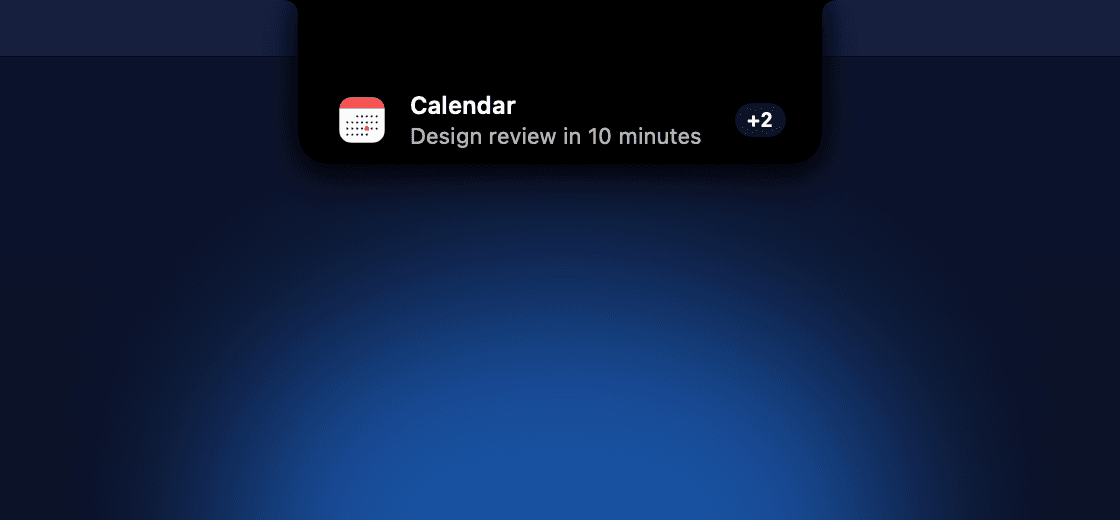
External displays copy the MacBook’s notch, so the island looks the same on every screen, and a Mac without a notch gets a floating Dynamic Island at the top of the screen; you can pick Auto, Notch or Dynamic Island. It has no network access and no analytics, and it ships with zero third-party Swift packages.
Trade-offs, plainly: MacNotch is at version 1.1.0 and needs macOS 15 or later, so it will not run on Sonoma. The build is not notarized yet: on first launch, try to open it once, then click Open Anyway in System Settings → Privacy & Security. It is not open source. And it does not have NotchNook’s camera mirror or Shortcuts — if you rely on those, MacNotch is the wrong pick.
How to choose
Start with your macOS version
On macOS 14 Sonoma, your choices are NotchNook (14.6 or later) and Boring Notch. MacNotch and Alcove both need macOS 15.
Then check your screen
If you work on an external monitor or a Mac without a notch, NotchNook and MacNotch both say they support it. For the others, confirm with the developer first. If you are not sure whether your Mac has a notch at all, our guide to getting a Dynamic Island on a Mac explains which models have one.
Then match the feature you will use every day
- A camera mirror and Shortcuts: NotchNook.
- AirDrop from a file shelf, for free: Boring Notch (NotchNook and MacNotch do it too).
- Notifications, timers, system stats, a clipboard history and mic or camera alerts: MacNotch.
- Lock screen widgets: Alcove.
Finally, the price model
Free with source code (Boring Notch), US$13.99 (Alcove), US$25 lifetime / US$3 a month (NotchNook) or a one-time purchase (MacNotch). None of these apps is expensive next to what a Mac costs, so pick on features first.
A note on unnotarized apps
Two of the four, Boring Notch and MacNotch, ship builds that Apple has not notarized, so macOS warns you the first time you open them. That warning is about the distribution channel, not a finding of malware, but it does mean you are trusting the developer directly. Download only from the official page or repository, never from a mirror site.
Not sure you need a notch app?
If your real problem is menu bar icons disappearing behind the notch, a notch app will not fix it; a menu bar manager or a macOS setting will. Our guide on what to do with the MacBook notch covers those fixes. For more notch guides, browse the Notch & Dynamic Island category, or see everything MacNotch does on its product page.
Sources
- NotchNook official site: getnotchnook.com
- Boring Notch repository and README: github.com/TheBoredTeam/boring.notch
- Boring Notch releases: github.com/TheBoredTeam/boring.notch/releases
- Alcove official site: tryalcove.com
More on this topic: Notch & Dynamic Island guides · MacNotch
 Notch & Dynamic Island